The PHP security flaw: what it means for your small business website
Two critical flaws in PHP, the language behind WordPress and much of the web, were fixed on 21 October 2026. What it means for a small business website, how to tell if yours is affected, what to do today, and how to make it secure for the long term.
In short
On 21 October 2026, PHP released fixes for two critical flaws (CVE-2026-109618 and CVE-2026-109619) that can let an attacker run code on a web server without logging in. PHP runs WordPress, WooCommerce, Joomla, Drupal and Magento, and most shared hosting. If your website runs on any of them, ask your host or web person today whether PHP has been updated to a fixed version. Sites on hosted builders such as Wix and Squarespace are looked after by the platform, and static websites that do not run PHP are not affected by these two flaws. As of 23 October, the NCSC said there were no indications of any successful breaches, but attempts to exploit the flaws are running into the millions, so do not wait.
Is your website affected? Check it in seconds
Our free website security check shows what your site is built with, whether it runs on PHP, and other gaps worth closing, such as emails that could be faked in your name.
Run the free security checkWebsites on our own platform don't run PHP at all. See how we build them
On Wednesday 21 October 2026, the people behind PHP released fixes for two critical security flaws. The same day, the UK's National Cyber Security Centre (NCSC) and its European counterparts urged every organisation that uses PHP to update, and Finland and the Netherlands took government websites offline as a precaution. The BBC reported that other sites, including Edinburgh council's, were inaccessible during the day, though not all have confirmed a link to PHP.
If you run a small business, the obvious question is whether your own website is at risk, and what you should do about it. This article answers both in plain English.
Latest, 23 October 2026: the NCSC's chief technology officer has called the event unprecedented, but says there are no indications so far of any successful breaches. Attempts are a different story: Cloudflare's chief executive said attempts to exploit the flaws have grown into the millions, and the UK government has taken 32 of its own services offline as a precaution while it applies fixes (BBC News). The advice has not changed: make sure PHP is updated, today.
What happened
PHP is a programming language that runs on web servers. It builds pages as visitors ask for them, talks to databases and handles things like contact forms and logins. It is one of the most widely used pieces of software on the web.
The two flaws, numbered CVE-2026-109618 and CVE-2026-109619, are serious. According to the NCSC alert and the CERT-EU advisory, they can allow an attacker to run their own code on a web server without logging in, by sending it carefully crafted requests. Both are rated 9.2 out of 10 for severity. They were found by researchers at the security firms Calif and Wiz, using AI, and had gone unnoticed for more than a decade.
The fixed versions of PHP are 8.5.12, 8.4.27, 8.3.36 and 8.2.35, released on 21 October, as set out in the PHP project's own security advisory. Versions 8.1 and older no longer get updates from the PHP project, so sites still running them need upgrading. CERT-EU reported that proofs of concept were already circulating, Cloudflare's chief technology officer said early attacks were starting to appear, and the e-commerce security firm Sansec reported that a ready-made attack tool is now public and expects attacks on a large scale. This is not one to leave until next week.
Is your website affected?
It depends on what your website runs on.
Probably yes, if your site is built with WordPress, WooCommerce, Joomla, Drupal or Magento. All of them run on PHP. So does most shared hosting, including the hosting control panels many small business sites sit behind. The flaw is in PHP itself, on the server, not in your WordPress settings, so the fix is a PHP update rather than a plugin update.
It is not only website builders. Sansec reports that researchers showed the same attack working against webmail (Roundcube), file sharing (Nextcloud), database tools (phpMyAdmin) and sites built on frameworks such as Laravel, several of which come with many hosting accounts. Some business software also bundles PHP without making it obvious, which is why the Dutch National Cyber Security Centre keeps a list of affected products.
Your host is responsible, if you are on Wix, Squarespace or another hosted builder. These platforms run their own servers and keep them updated, so there is nothing for you to install.
Not affected by these flaws, if your site is static. A static website is built in advance and served as finished pages, with no PHP running on a server when a visitor arrives. There is nothing there for these two flaws to attack. Every website on our own platform is built this way (more on how we build them).
Does Squarespace use PHP?
Not in a way you have to manage. You cannot add or run PHP code on a Squarespace website, and Squarespace runs and updates its own servers, so there is nothing for you to install or update. As of 23 October, Squarespace's status page had no notice about Squarespace websites. It did show that Squarespace took its Acuity Scheduling booking tool offline on 21 October to fix this flaw, and completed the work the same day. So if your customers could not book through Acuity that day, that is why.
Does Wix use PHP?
Not in a way you have to manage either. You cannot run PHP on a Wix website (custom code on Wix uses JavaScript), and Wix runs and updates its own servers. As of 23 October, Wix's status page showed all systems operational, with no notice about this flaw.
On either platform, what you can do is keep your account password strong, turn on two-step login, and check any third-party apps or booking tools you have connected, since those may run on their own servers. Our free website security check confirms what your site is built on, and checks the things that still apply on Squarespace and Wix: whether scammers could easily send emails in your name, and when your domain is due for renewal.
Not sure which you have? The usual signs of a PHP site are:
- You log in to edit your site at an address ending in /wp-admin (WordPress)
- Some page addresses end in .php
- Your hosting account has a cPanel or Plesk control panel
- Your site has an online shop built on WooCommerce or Magento
If none of that rings a bell, run our free website security check. It tells you in seconds whether your site looks like it runs on PHP, and whether your server gives away an old version. Or ask whoever built or hosts your site, or send me the address.
Not sure whether you're at risk? Get in touch and I'll look at your website myself. I'll tell you clearly whether it looks at risk, how serious that is for your business, and what your next steps should be, whether that is one question for your host or something more. There's no charge and no obligation. Ask me to check your website, or ring me on 07936 818254. Chris, Launch My Local Site
What to do today if your site runs on PHP
You do not need to be technical to act on this. Most of it is asking the right person the right question.
- Ask your host or web person whether PHP has been updated. Ask specifically whether your site is now on PHP 8.5.12, 8.4.27, 8.3.36 or 8.2.35, or a patched package from their provider. On shared hosting, many hosts update PHP for every customer, but do not assume: ask, and get the answer in writing.
- Check your PHP version is still supported. If your site runs on PHP 8.1 or older, it is out of support and needs upgrading. Older WordPress plugins and themes sometimes break on newer PHP, which is why sites get stuck on old versions, so this may need a little testing.
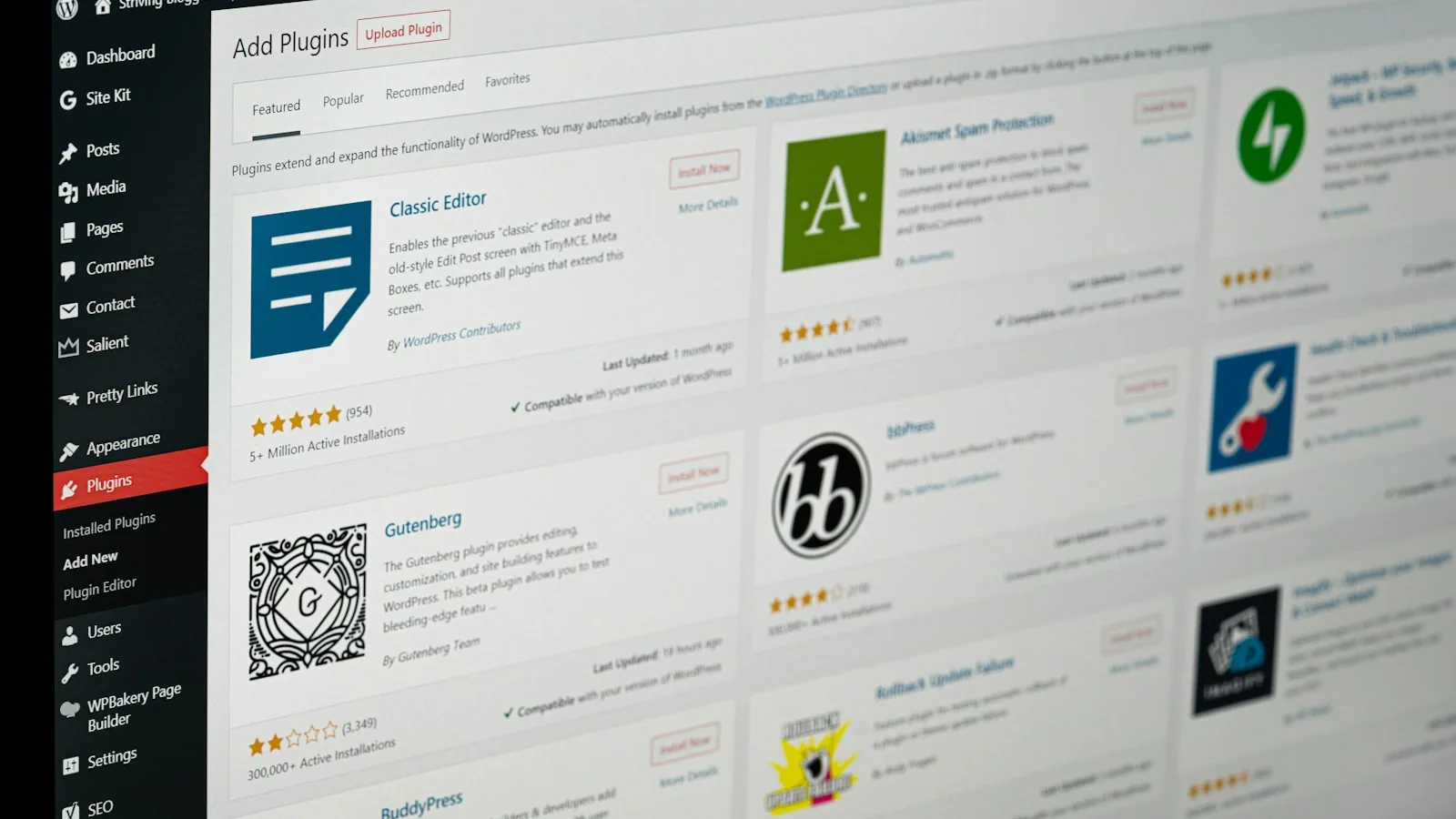
- Bring WordPress, your theme and your plugins up to date. This does not fix the PHP flaw on its own, but it makes the upgrade smoother and closes other gaps.
- Change your passwords once the update is done. Sansec reports that one of the flaws can leak data from the server's memory, which can include passwords and login sessions. Once your host confirms PHP is updated, it is sensible to change your website admin and hosting passwords, and to turn on two-step login where you can.
- Ask whether anyone has checked for signs of a break-in. The NCSC advises looking for evidence of compromise, such as files or user accounts nobody recognises, particularly on any site that could not be updated quickly.
- If nobody looks after your website, that is the real problem. A flaw like this needs someone to notice it, check your site and act the same day. If that person does not exist for your business, now is a good time to sort it.
The NCSC's advice for anyone who cannot update in time is to consider taking a site offline until it is fixed. For most small businesses, the realistic route is a quick conversation with your host today.
Your other business software may be affected too
It is not only websites. Booking systems, customer records, accounts packages and trade software often run on PHP behind the scenes, and some suppliers have been taking their systems offline while they update. The BBC reported a garage owner in South Wales who could not process MOT paperwork online after his system went down, and Squarespace took its Acuity booking tool offline for most of a day.
It is worth a quick email to the suppliers of any online system your business relies on, asking whether they use PHP and whether it has been updated. If one goes down, a simple paper fallback (a booking sheet, a job sheet) for a day or two saves a lot of stress.
How we build websites, and why ours are not affected
Websites on our own platform do not run PHP. They are built in advance, checked, and served as finished pages from Cloudflare's network around the world. There is no PHP, no database and no plugins sitting on a server waiting to be updated, so these two flaws have nothing to attack. If your site has a contact form, it sends through a separate, dedicated email service rather than PHP running on a server.
That approach also means there is far less to keep patched in the first place, which is a big part of why we can look after a site on our platform for £15 a month.
| A typical WordPress site | A website on our platform | |
|---|---|---|
| When someone visits | PHP and a database build the page on a server | The finished page is simply delivered |
| What needs keeping up to date | PHP, WordPress, the theme and every plugin | Far less: no PHP, database or plugins on a server |
| When a flaw like this appears | Someone has to update the server, ideally the same day | These two flaws have nothing to attack |
| Who looks after it | You, your host or your web person, if you have one | We do, for £15 a month |
We should be straightforward about the limits. No website is risk-free: your domain account, email and logins still need strong passwords and two-step login, and we help you get those right. But the less software running on a server, the less there is for an attacker to aim at, and this week is a clear example of why that matters.
If you would rather not be patching a website when the next flaw like this comes along, see how we build and look after a website, or how moving your website from WordPress, Squarespace or Wix works. We write the copy, your domain and email stay where they are, and you pay nothing until you have approved the new site.
How we can help you get secure, and stay that way
If your website runs on PHP, or on an old set-up nobody has touched in years, there are two good ways forward. Both start with a free website check, where we look at what your site runs on and what condition it is in, and tell you plainly which option makes more sense.

1. Keep your WordPress site, brought fully up to date. We move it to our hosting, take a full backup, and bring everything current: PHP, WordPress itself, your theme and your plugins. Plugins and themes that are no longer maintained, or that you do not need, are replaced or removed, because abandoned add-ons are one of the most common ways small business sites get broken into. If we find signs of an existing break-in, we tell you straight away and agree the clean-up with you before going any further. The set-up is £295, then our WordPress care keeps it that way from £95 a month: PHP, plugin and theme updates as they are released, security monitoring, backups and 30 minutes of changes a month. When a flaw like this one appears, applying the fix is part of what that monthly fee covers.
2. Move to our own platform. We rebuild your website so it no longer runs on PHP at all: no database, no plugins and no server software for an attacker to aim at. Your domain and email stay exactly where they are, your old page addresses are redirected so you keep your place in Google, and your content comes across, tidied up where it helps. It costs £450 once you have approved the new site, then £15 a month for hosting, security, updates and small changes. For many small business sites this is both the cheaper and the more secure option, and our guide to moving your website explains how it works.
Whichever suits you, the point is the same: someone is responsible for your website, keeps it current, and acts the same day when something like this happens.
Sources
- PHP security advisory, the PHP project, 21 October 2026
- Critical security issue affecting PHP, National Cyber Security Centre (UK)
- Security advisory 2026-018: Critical vulnerabilities in PHP, CERT-EU
- PHP2Shell: Critical PHP RCE, Sansec Forensics Team
- Operational information on the php2shell vulnerabilities, National Cyber Security Centre of the Netherlands
- Websites taken down worldwide as critical cyber-security update issued, BBC News
- Race to update services' computer systems after cyber-security flaw found, BBC News, 23 October 2026
- Squarespace status: incident history, including the Acuity Scheduling emergency maintenance on 21 October 2026
- Wix system status
The honest summary
This is a genuinely serious flaw, and national cyber security agencies do not often tell organisations to consider switching their websites off. But for most small businesses the fix is not complicated: find out whether your site runs on PHP, and if it does, make sure your host has updated it today.
The bigger lesson is about who is looking after your website. Sites that get hacked after a flaw like this are rarely the ones with a careful owner. They are the ones nobody has looked at in years, on old software, with no one responsible for keeping them current. If that sounds like yours, we can help.
And if you are simply not sure where your website stands, ask me to check it. I'll give you a clear answer on whether you're at risk and what to do next.
Not sure if your website is at risk? I'll check it for you
Send me your website address and I'll tell you clearly, free and with no obligation, whether it looks at risk, how serious that is, and what your next steps should be. If it needs moving, bringing up to date or looking after, I can do that too, with the prices up front.
Check my websiteFrequently asked questions
On 21 October 2026, the PHP project fixed two critical flaws, CVE-2026-109618 and CVE-2026-109619, each rated 9.2 out of 10. They can let an attacker run their own code on a web server without logging in. PHP runs a large share of the web, including WordPress, Joomla, Drupal and Magento, so the PHP project, the UK's National Cyber Security Centre (NCSC) and CERT-EU all urged everyone using PHP to update straight away.
It is if your website runs on PHP. That includes sites built with WordPress, WooCommerce, Joomla, Drupal or Magento, and most sites on shared hosting with a cPanel or Plesk control panel. Sites on hosted builders such as Wix and Squarespace are looked after by the platform, and static websites that do not run PHP are not affected by these two flaws.
WordPress runs on PHP, so the server your WordPress site runs on needs the fix. The fix is an update to PHP itself, which is usually your hosting company's job rather than a WordPress setting. Ask your host or web person today whether PHP has been updated to 8.5.12, 8.4.27, 8.3.36 or 8.2.35, or to a patched package from their provider.
The common signs are that you edit your site by logging in at an address ending in /wp-admin (WordPress), that some page addresses end in .php, that your hosting account has a cPanel or Plesk control panel, or that your online shop runs on WooCommerce or Magento. If you are not sure, run our free website security check, which tells you in seconds what your site looks like it is built with, or ask whoever built or hosts your website.
Ask three things: has PHP on my website been updated to a fixed version (8.5.12, 8.4.27, 8.3.36 or 8.2.35, or a patched package), is my site on a supported version of PHP (8.2 or newer), and have you checked for any signs that my site was accessed before the fix? Ask for the answers in writing, by email, so you have a record.
The fixed versions are PHP 8.5.12, 8.4.27, 8.3.36 and 8.2.35, all released on 21 October 2026, or an equivalent patched package from your hosting provider or Linux distribution. PHP 8.1 and older no longer receive updates from the PHP project, so a site still running one of them needs upgrading to a supported version.
Not to fix this particular flaw, which is in PHP on the server rather than in WordPress or its plugins. But it is a good moment to update WordPress, your theme and your plugins anyway: it closes other gaps, and older plugins are often what stops a site moving to a newer, supported version of PHP.
Not in a way you have to manage. You cannot add or run PHP code on a Squarespace website, and Squarespace runs and updates its own servers, so there is nothing for you to install or update. As of 23 October 2026 its status page had no notice about Squarespace websites, but it did show that Squarespace took its Acuity Scheduling booking tool offline on 21 October to fix this flaw, and completed the work the same day. If you use Acuity for bookings, that explains any downtime that day.
Not in a way you have to manage. You cannot run PHP on a Wix website, because custom code on Wix uses JavaScript, and Wix runs and updates its own servers, so there is nothing for you to install. As of 23 October 2026, Wix's status page showed all systems operational, with no notice about this flaw. As with any hosted builder, keep your account password strong and turn on two-step login.
As of 23 October 2026, the NCSC's chief technology officer said there were no indications of successful breaches, though experts warn the full impact may take months to show. Attempts are another matter: Cloudflare's chief executive said it was seeing millions of attempts to exploit the flaws. Update first, then check for signs of a break-in.
Not as a first step. The NCSC's advice is to update first; taking a site offline is the fallback for organisations that cannot update or apply the temporary fixes in time. For most small businesses on managed or shared hosting, the right step today is to ask your host whether PHP has been updated, and to act on their answer. If a site does need to come down, it has to be done on the server: Sansec notes that the maintenance modes built into WordPress and Magento do not protect against this, because PHP handles each request before they are checked.
Common signs are admin users or files nobody recognises, pages that redirect visitors to other sites, spam links appearing in Google results for your site, a browser or Google warning when people visit, or an email from your host about unusual activity. The NCSC advises checking for signs of a break-in on any site that could not be updated quickly. If you see any of these, contact your host or web person straight away.
Start with your hosting company, whose support team can tell you whether PHP has been updated on your site. If nobody looks after your website, we can: send us the address for a free website check and we will tell you what it runs on, whether it looks affected and what to do. For organisations that have been seriously compromised, the NCSC lists assured incident response providers.
Yes, in one of two ways. We can move your WordPress site to our hosting and bring PHP, WordPress, your theme and plugins fully up to date, removing anything abandoned or unused, for a £295 set-up and then care from £95 a month. Or we can rebuild it on our own platform, which does not run PHP at all, for £450 and then £15 a month, keeping your domain, email and Google position.
Yes. A static website is built in advance and served as finished pages, so no PHP runs on a server when visitors arrive, and there is no database or plugins to keep patched. That is how every website on our own platform is built: £450 once you have approved it, then £15 a month for hosting, security and updates, with your domain and email staying where they are.
Websites on our own platform are not affected by these two flaws, because they do not run PHP. They are built in advance and served from Cloudflare's network, with no database or plugins on a server. WordPress sites we look after do run PHP, and keeping PHP updated, including applying fixes like this one, is part of their monthly care.